


Taking Apart a Cracked iMazing Package That Defender Flagged, SFX, Batch Files and AutoIt Obfuscation
I wrote this in 2021. When I tidied it up in 2026, I finally decoded the two pieces of obfuscated code I couldn’t crack back then, and filled in the conclusion. Every layer and every bit of code here I took apart myself. I’m leaving out the name of the download site, it doesn’t matter.
How it started
I was looking for a backup tool along the lines of i4Tools (爱思助手, a popular Chinese iPhone manager), which led me to iMazing, and on a whim I went and found TNT’s cracked version of it. I downloaded the Windows build, and the antivirus built into Windows 11 flagged it right away. That got me curious enough to take the crack apart.
A side note. When antivirus flags a cracked app, sometimes it’s a false positive (a crack patches someone else’s files, which looks a lot like malware), and sometimes it’s the real thing, because plenty of these are wolves in sheep’s clothing. So don’t assume a detection is a false positive, and don’t assume it’s a virus either. You only find out by opening it up.
Analysis
1. The overview
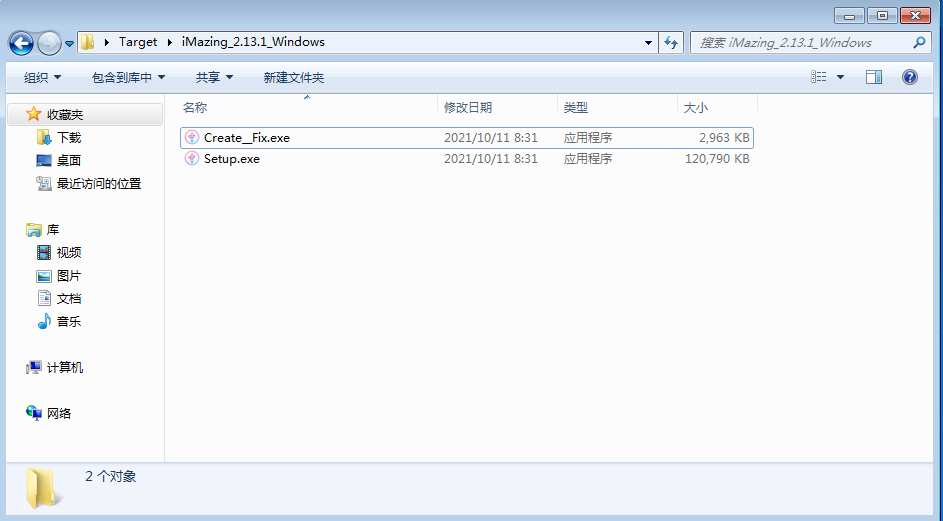
As you can see, it unpacks into an official installer and a Create__Fix.exe. That’s the file Defender flagged, so that’s where I started.
2. Create__Fix.exe
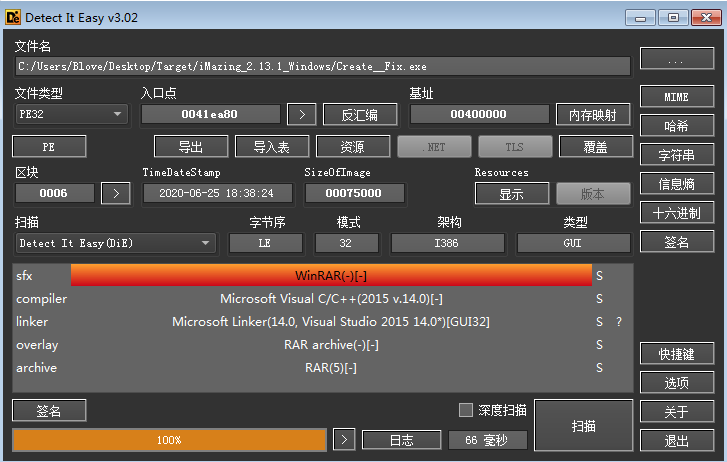
Dropping it into DIE, it looks like an archive. Unpacked, it contains this:
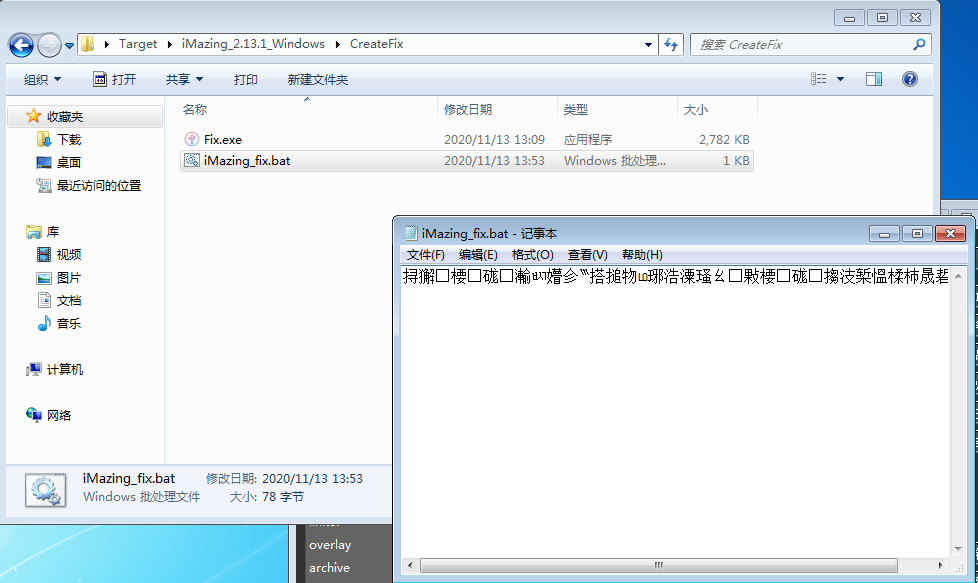
There’s a Fix.exe and an iMazing_fix.bat, but the bat file is gibberish when you open it. Let’s look at the hex in C32Asm:
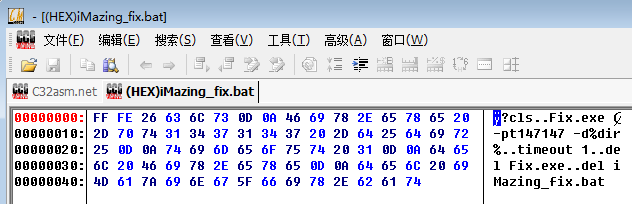
Well, that’s plain enough. Here’s what iMazing_fix.bat does:
- Step one, run
Fix.exewith the arguments-pt147147and-d%dir%. Those arguments made me think it’s an archive, and sure enough it seems to be - Step two, wait one second
- Step three, delete
Fix.exeandiMazing_fix.bat
I couldn’t help wondering why it was trying so hard to be a mille-feuille, layer after layer with no end in sight.
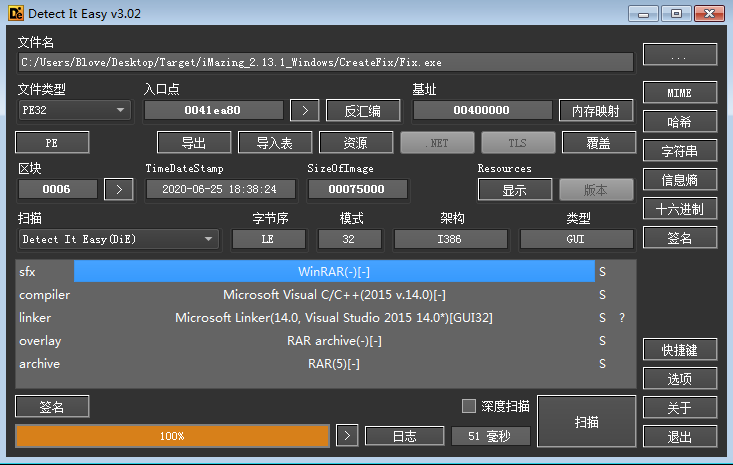
No surprise, it’s another RAR archive.
3. Fix.exe
It needs a password to unpack. I guessed t147147, and oh, I was right. The TNT team didn’t build their own unpacker. They use WinRAR’s SFX self-extraction module and pass it arguments. After unpacking:
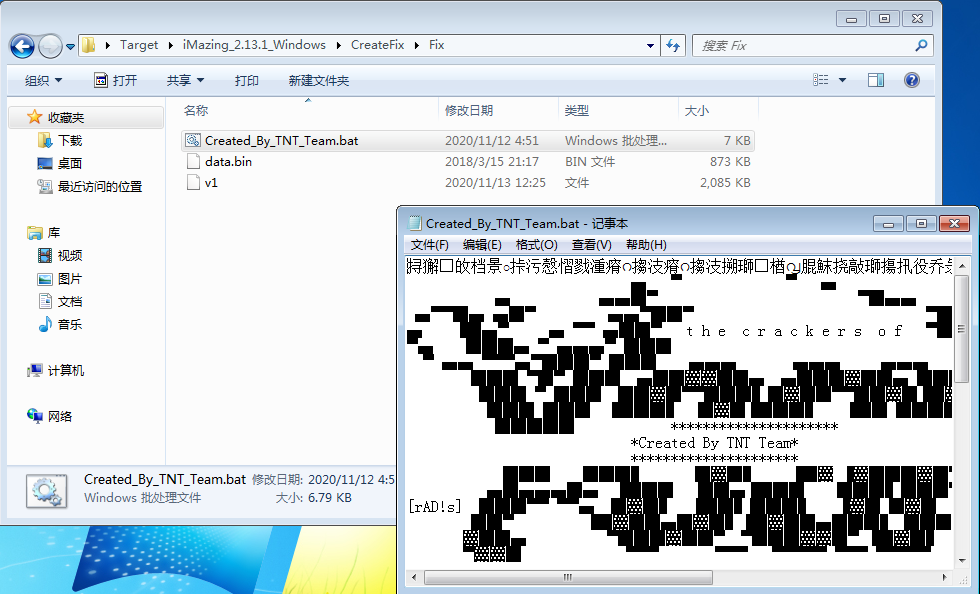
There are three files. The bat script is encrypted again, so back to the hex editor. As the screenshot shows, this script does the following:
- Clear the screen
- Turn off echo
- Run the executable
data.binwith the argumentv1 - Delete
v1,data.binand itself
DIE says data.bin is an executable, so I renamed it to data.exe. v1 is a binary file it couldn’t identify yet.
4. data.exe and v1
Once renamed, data.exe is obvious. It’s the AutoIt3 script runner, so v1, as expected, is a compiled AutoIt3 script, and its extension should be a3x.
v1 is a compiled au3 script. I found a few decompilers on GitHub and used UnAutoIt at the time. Once it was done, v1 gave up an iMazing.exe and a script so heavily obfuscated it’s nearly unreadable:
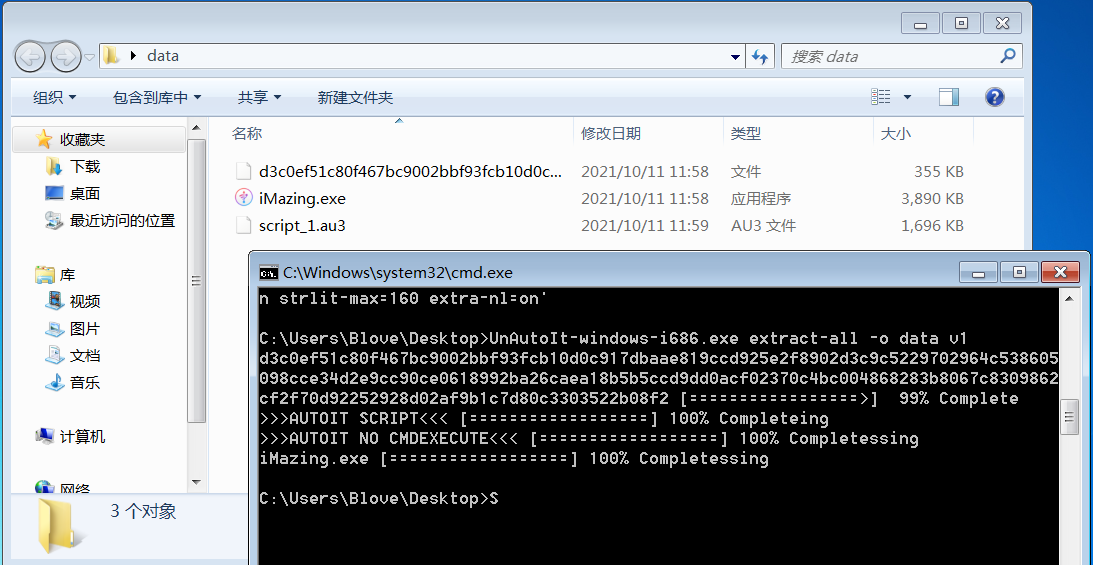
The modified iMazing.exe still carries the original digital signature, though the signature is no longer valid. It looks like it patches iMazing.exe locally, so you’d call it a file patch, but the hash doesn’t seem to change much…
5. What those two obfuscated pieces actually do
This is where I got stuck back then. The decompiler spat out a huge lump of BinaryToString('0x...') wrapped in Execute, the kind of thing that makes your scalp crawl. It’s really just hex inside hex. Decode the outer hex string and you get another Execute(BinaryToString('0x...')), and only the second decode gives you the real code. Doing it by hand (two lines of Python) gives these two statements:
StringSplit(FileRead($a2f00001b21sz_), '|387I', 1)1+FileDelete($a2f00001b21sz_)Read them together with the two small functions around them, and the whole flow makes sense:
- The function
a2f00001b21("4054656D70446972")turns hex into a string, so this decodes to@TempDir - The other hex strings decode to
1,\,7,97,122and1. Put together, it takes the system temp folder, adds a backslash if there isn’t one at the end, then generates 7 random characters (Chr(97)toChr(122), soatoz) to build a random file name, looping until it finds a name that doesn’t exist yet - So if you’re wondering where
FileInstall(...)drops that long file name, the answer is a random 7-lowercase-letter file name under%TEMP%\ - Then
FileReadreads that whole file in and splits it on the string|387I(the third argument ofStringSplit, 1, means split on the whole delimiter string, not on individual characters) - Right after splitting,
FileDeleteremoves the temp file
Now it’s clear why it’s written in such a roundabout way. It keeps a whole payload in one file and chops it into thousands of pieces with |387I. The line If IsArray($os) And $os[0] >= 0x46da Then ExitLoop in the outer shell makes sense now too. $os is the array StringSplit returns, $os[0] is the element count, and 0x46da is 18138. So it keeps retrying “drop the file and read it” until the split produces 18138 pieces, and only then counts the drop as complete. For one file to split into that many pieces, the payload itself can’t be small.
As for how those pieces get stitched back together and what comes out, the decompiled script I kept back then only has these bits (the original was much longer, and I didn’t save all of it), so I’m not going to force a guess.
This layer matters more than the question of what exactly it did. It’s a very common AutoIt packer pattern:
FileInstallto a random file name in%TEMP%→ read it back → split it on a custom delimiter → delete the dropped file. The real payload hides inside something that looks like a “data file”, so static scanning has a hard time catching it, and it tries to leave as little behavioral trace as it can (deleted as soon as it lands). So when you seeBinaryToString+Executenested inside each other along with aFileInstallto%TEMP%, you can pretty much file it in this category straight away.
Conclusion
- It nests layer after layer, the
iMazing.exeit finally drops isn’t even cracked, and after splitting the payload it just deletes the temp file - But chopping the payload into 18138 pieces hidden in a temp file and deleting it right after reading is a textbook AutoIt packer trick, and the whole point is to keep static scanners from seeing the real content
- So “it looks like it does nothing” more likely means I didn’t have the complete script, not that it’s actually harmless
One more thing, looking back now. To take this sample apart properly, I’d have to fish
v1out of quarantine, note its SHA-256, check VirusTotal first to see if anyone else uploaded it and what behavior tags it has, then run it in an isolated VM and capture the process tree and network requests. Guessing from a decompile which layer does the real work only gets you so far. Not doing those two steps back then is the biggest gap in this post.
Share Article
If this article helped you, please share it with others!